 MarkHub
Repricing
Set your repricing rules
Define your pricing boundaries, assign a strategy and understand the price corridor before enabling automation.
- 01
Review your strategy
Open Strategies to review or edit a pricing rule. Set minimum profit and, when needed, maximum profit. Review how the strategy behaves when you own the Buy Box, when competition falls below your minimum and when you are alone on the listing.
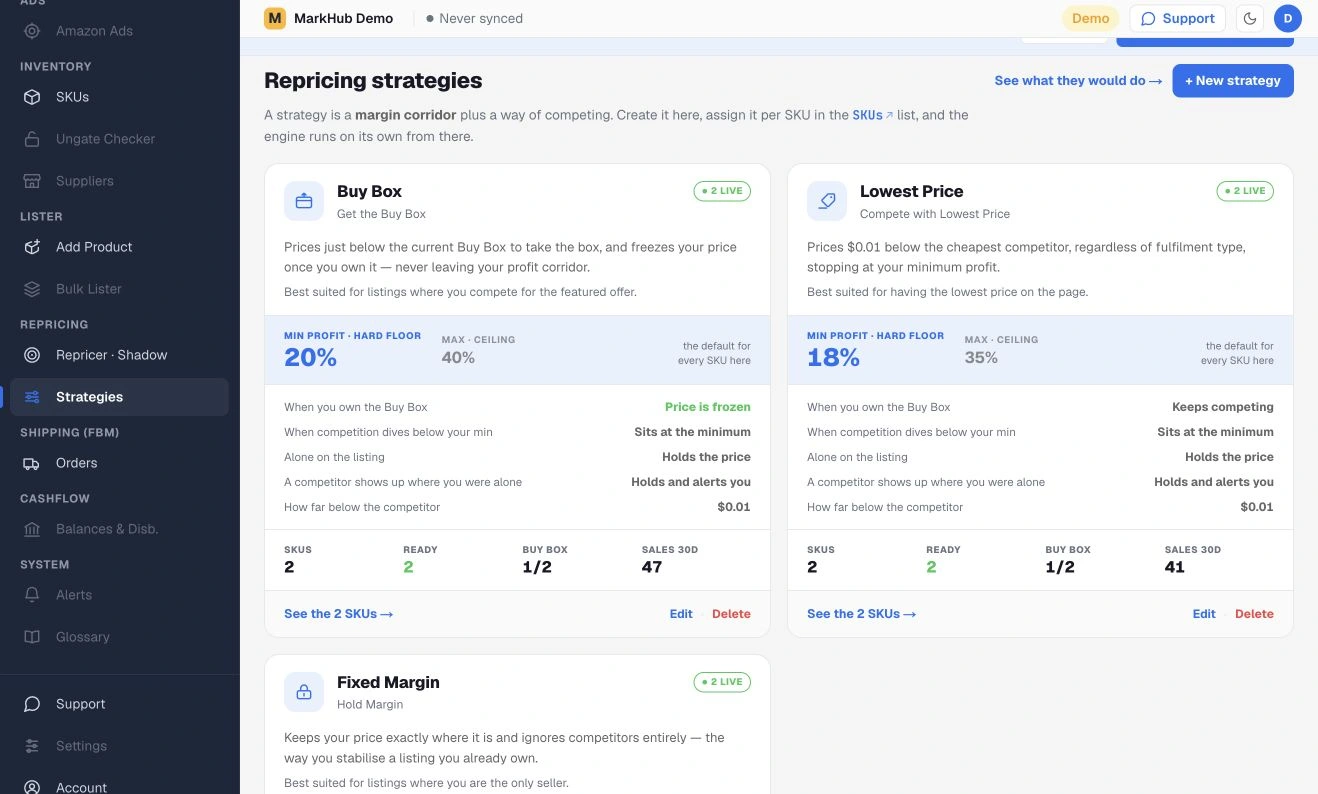
Strategies define the rules used to calculate and adjust your prices. - 02
Assign it to the right product
Assign the strategy to the appropriate product in your inventory. Review the product’s cost inputs and any product-level minimum or maximum, which can override the strategy defaults.
Changing an assigned strategy can apply pricing changes in the real app. In the demo, changes affect synthetic inventory only.
- 03
Inspect the price corridor
Open Repricer to review the product’s pricing corridor and proposed action. Read the current price alongside the minimum and maximum before making further changes.
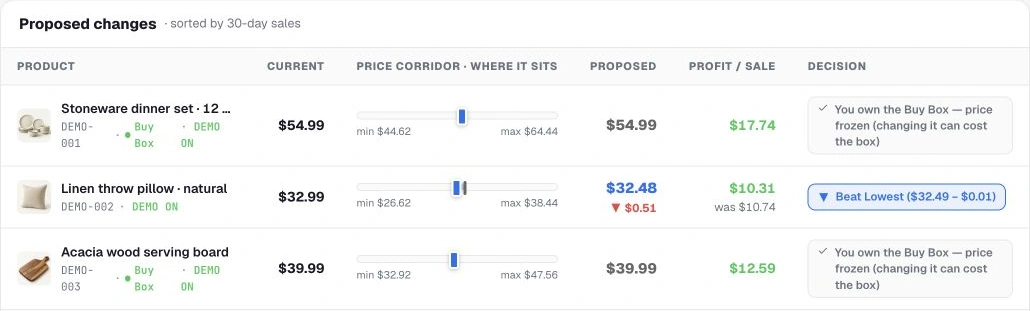
Detail: compare minimum, maximum and proposed prices with the profit calculation. A calculated profit floor depends on accurate costs, fees and settings. It does not guarantee profit when those inputs are missing or incorrect.
Try it in MarkHub.
Explore these screens with sample products and orders. Demo changes stay separate from real stores.
Open the interactive demo